How To Use Tplink Router As Multiple Access Points with Vanessa Delacruz blog

Vanessa Delacruz Nov 04, 2026

How To Use Tplink Router As Multiple Access Points: Right Where You Need It
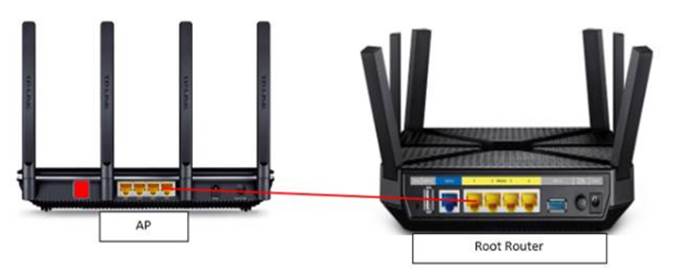
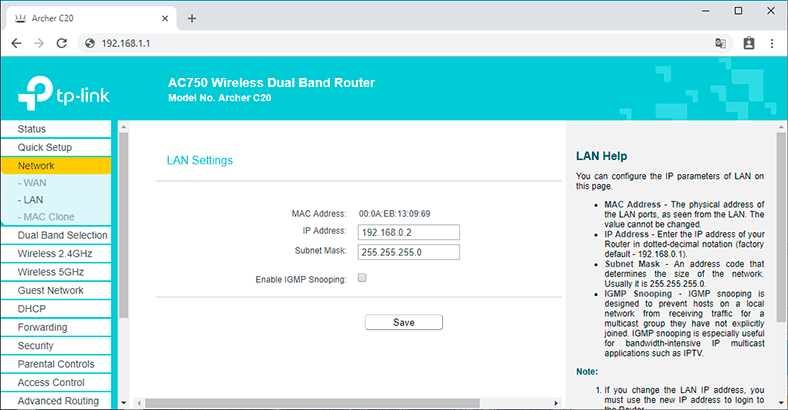
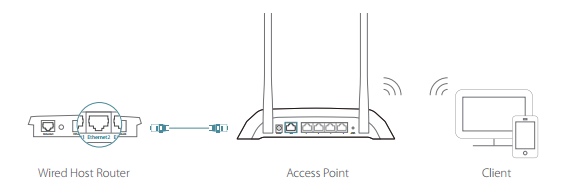
How to setup a TP-Link DSL modem router as an Access Point

Since you are searching for How To Use Tplink Router As Multiple Access Points, this page was made for you, shown here as a varied gallery of reference images.

How to Setup TP-Link Router as Access Point (AP) | Step-by-Step - YouTube

A description can only go so far before a picture does the job better, so looking at real examples explains far more than any description can.

Example Images of How To Use Tplink Router As Multiple Access Points
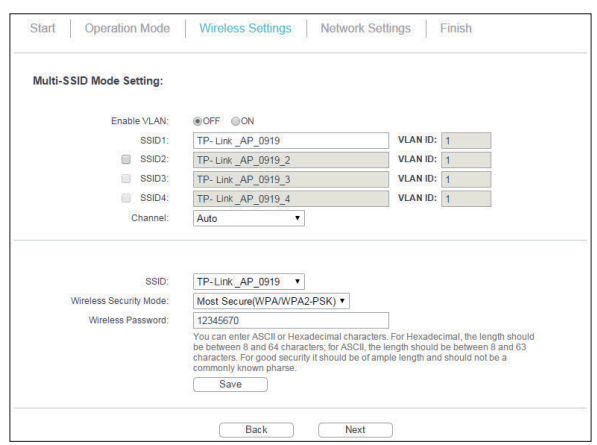
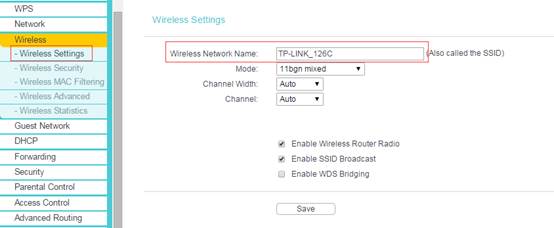
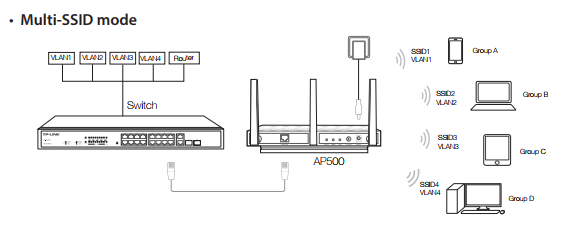
How to configure Multi-SSID mode of the Wireless N Access Point (new ...

This collection gathers all kinds of How To Use Tplink Router As Multiple Access Points in one scrollable view, which makes it easy to spot the differences between variations.

Scroll slowly and let each image register, since patterns start to appear after just a few examples.
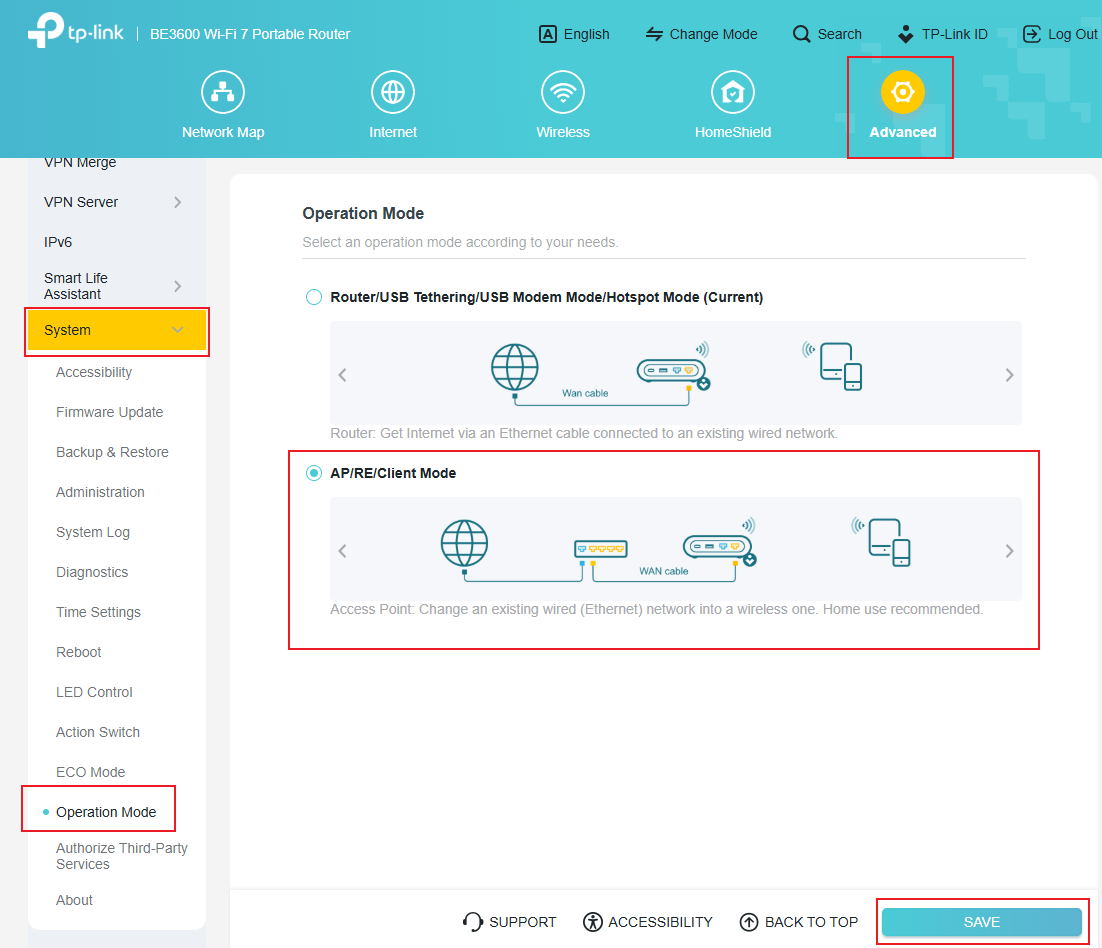
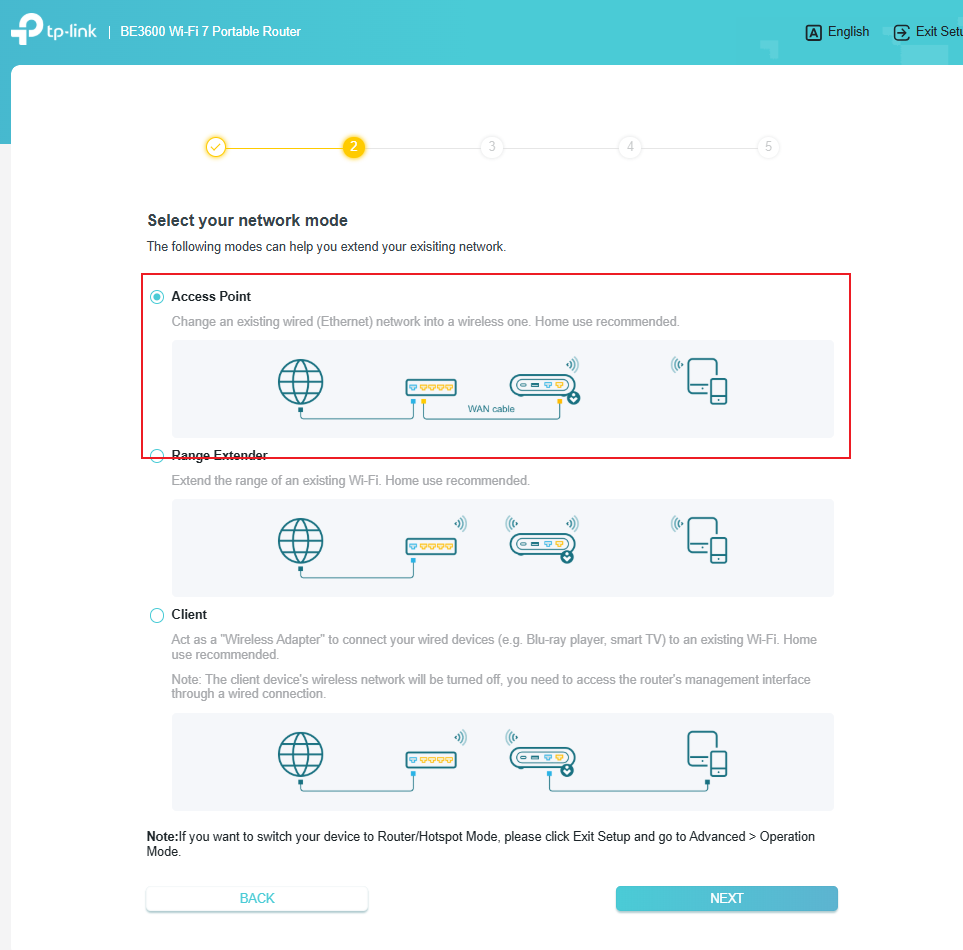
How to configure the TP-Link Travel Router in Access Point mode

What the Images Can Show You

A single picture can communicate shape, scale, style, and context at once, showing details that are hard to put into words.

Notice which details stay consistent across the pictures, because consistent details are usually the essential ones.

TP-Link N Router as Access Point Setup | PDF

Many Forms and Variations

Variety is the whole point of a reference collection, each one leans toward a slightly different taste, so studying the range helps you identify which style suits you best.

Whenever a particular picture stands out, stop and study it, that reaction is a better guide than any checklist.

tp-link Indoor Access Point Installation Guide - Manuals+

How to Use These Examples for Reference

The collection works best when you do something with it, such as saving the examples closest to what you need.

TP-Link RE365 Wi-Fi extender dual band • Access point mode installation ...
Top How To Use TpLink Router As Multiple Access Points Visuals ...
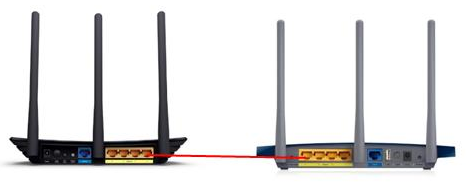
Linking Two Routers: Maximizing Your Network for Better Wi-Fi and ...
How to configure the TP-Link Travel Router in Access Point mode
How To Setup TP Link Multiple Access Points With 1 router in Home ...
Configure tp link router as Access point - YouTube
How to Setup Acces Point Mode on Tplink Router With a Ethernet Cable ...
tp-link Outdoor Access Point Installation Guide - Manuals+
How to Configure Access Point Mode on TP-Link Archer Wi-Fi Router ...
Buy TP-Link Access Point - Dgit
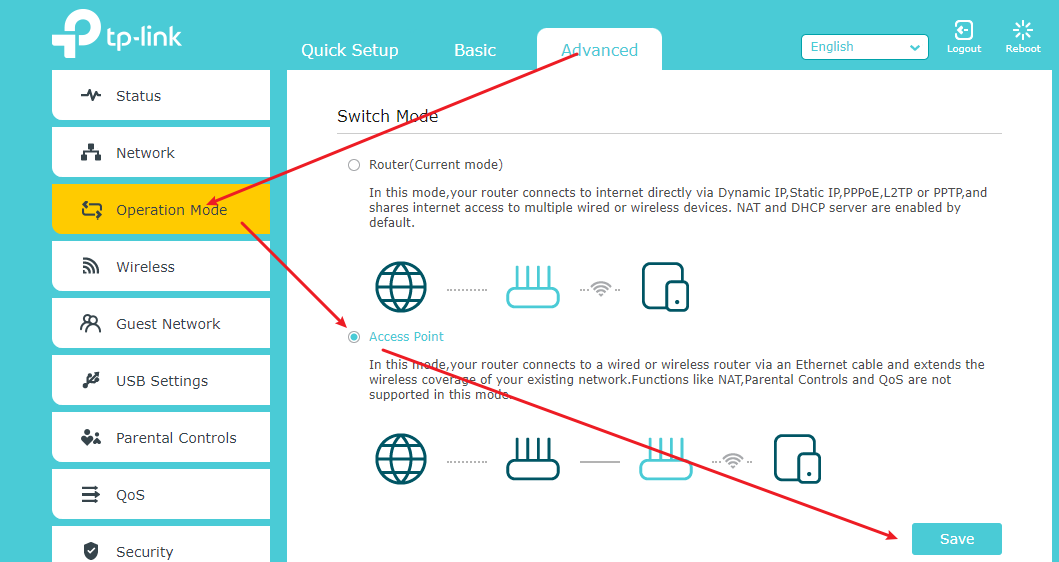
How to Set Up a TP-Link Router as an Access Point
How to Setup TP-Link Router as a Wireless Access Point [ 2 Methods ...
tp-link Wireless Access Point Installation Guide - Manuals+
Extend your Wi-Fi for Free: Setup Access Point Mode | TP link AC1200 ...
3 Ways to Connect Two TP-Link Routers - YouTube
Use TP-Link Router as a Repeater with an Ethernet Cable - YouTube
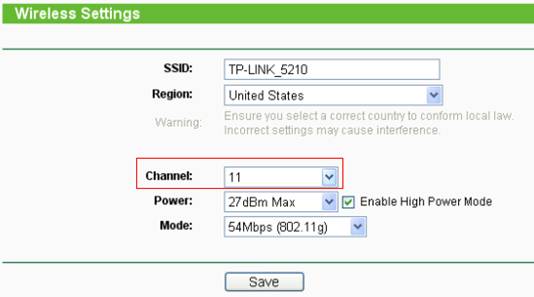
How to configure the TP-Link wireless router as Access Point
tp-link Dual-Band Wi-Fi Router Instruction Manual
TP-Link AC1200 Wireless Gigabit Access Point
TP-Link Router as Access Point (Easy Setup Guide) - YouTube
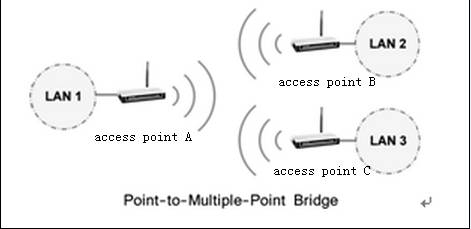
How do I configure Wireless Access Point to Multi-Point Bridge mode ...
Setup TP Link Router as a Wireless Access Point || Operation Mode TP ...
How do I configure Wireless Access Point to Multi-Point Bridge mode ...
How to configure Multi-SSID Mode on 11AC wireless access point | TP-Link
TP-Link Router as an Access Point | Router Access Point Mode - YouTube
How to configure the TP-Link wireless router as Access Point
Wireless Access Point Setup Tp Link at Erin Patteson blog
How to configure the TP-Link wireless router as Access Point - TP-Link ...
How to Use Tplink Router As Access Point 2021 - YouTube

You can also use the images to explain the idea to someone else, and alignment happens in seconds instead of paragraphs.

The Small Details That Matter

The second viewing always reveals more than the first, such as positioning, scale, material feel, and overall balance.

The pictures you look at longest often teach the most, so choose the closest matches and examine those thoroughly.

Seeing Is Understanding

Our preference for images is not a trend, it is how understanding works, a visual cuts straight past every possible misunderstanding.

That is why a varied collection like this is so effective, so whatever brought you here, the images can carry you the rest of the way.

The Reference Is Here Whenever You Need It

Whenever How To Use Tplink Router As Multiple Access Points comes up again, these images will be here, because needs change and new examples make old ones more useful.

Repeated exposure quietly builds real visual understanding, and let the gallery keep doing what it does best.