Discord Server Advanced Settings with Vanessa Delacruz blog

Vanessa Delacruz Nov 04, 2026

Discord Server Advanced Settings: Right Where You Need It
Enabling Server Discovery – Discord

Discord Server Advanced Settings is what brought you here, and this page delivers it, shown here as a varied gallery of reference images.
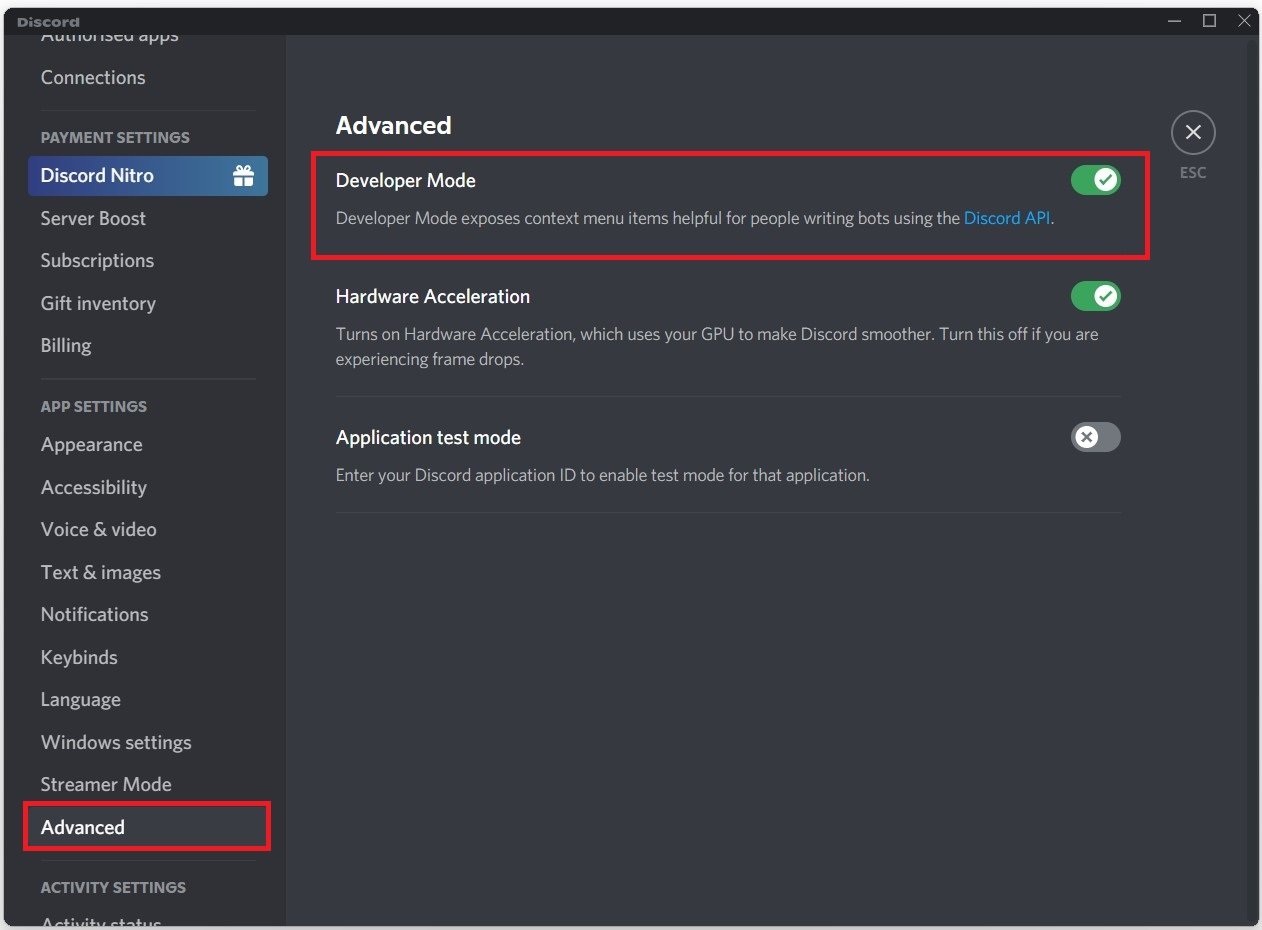
How To Create a Discord User Verification System — Tech How

A description can only go so far before a picture does the job better, which is why browsing through the images is often the fastest way to understand it.

Example Images of Discord Server Advanced Settings
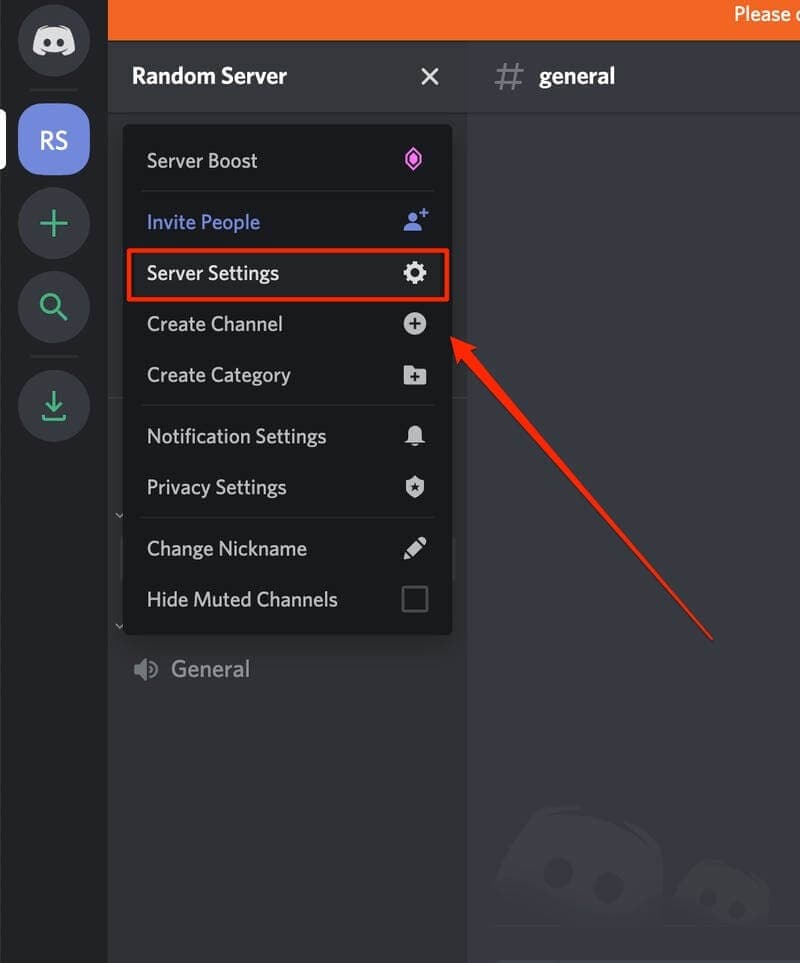
How to Add Emojis To Discord on Desktop Computer and Mobile

This collection gathers all kinds of Discord Server Advanced Settings in one scrollable view, and you will quickly see how much variety exists.

There is no need to rush past the pictures, because the more images you see, the clearer the overall idea becomes.

How to Setup Community Onboarding on Discord Server - TechWiser

What the Images Can Show You

Every photo tells you something a description would miss, making it much easier to judge what fits your needs.

Compare a few examples and observe what repeats, since repetition across images signals what defines it.

What Is Discord and How Does It Work?

Many Forms and Variations

The differences between examples are part of what makes browsing useful, a few lean traditional while others feel modern, and seeing them together makes your own preference obvious.

Whenever a particular picture stands out, stop and study it, because that instinct usually points toward what you are really looking for.

How to Fix Discord "Unable To Accept Invite" Error | Beebom

Turning Pictures Into Useful Reference

These images are meant to be used, not just viewed, like marking the images that match your idea.
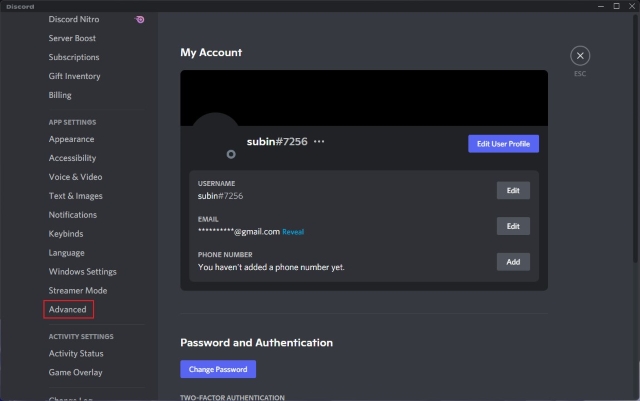
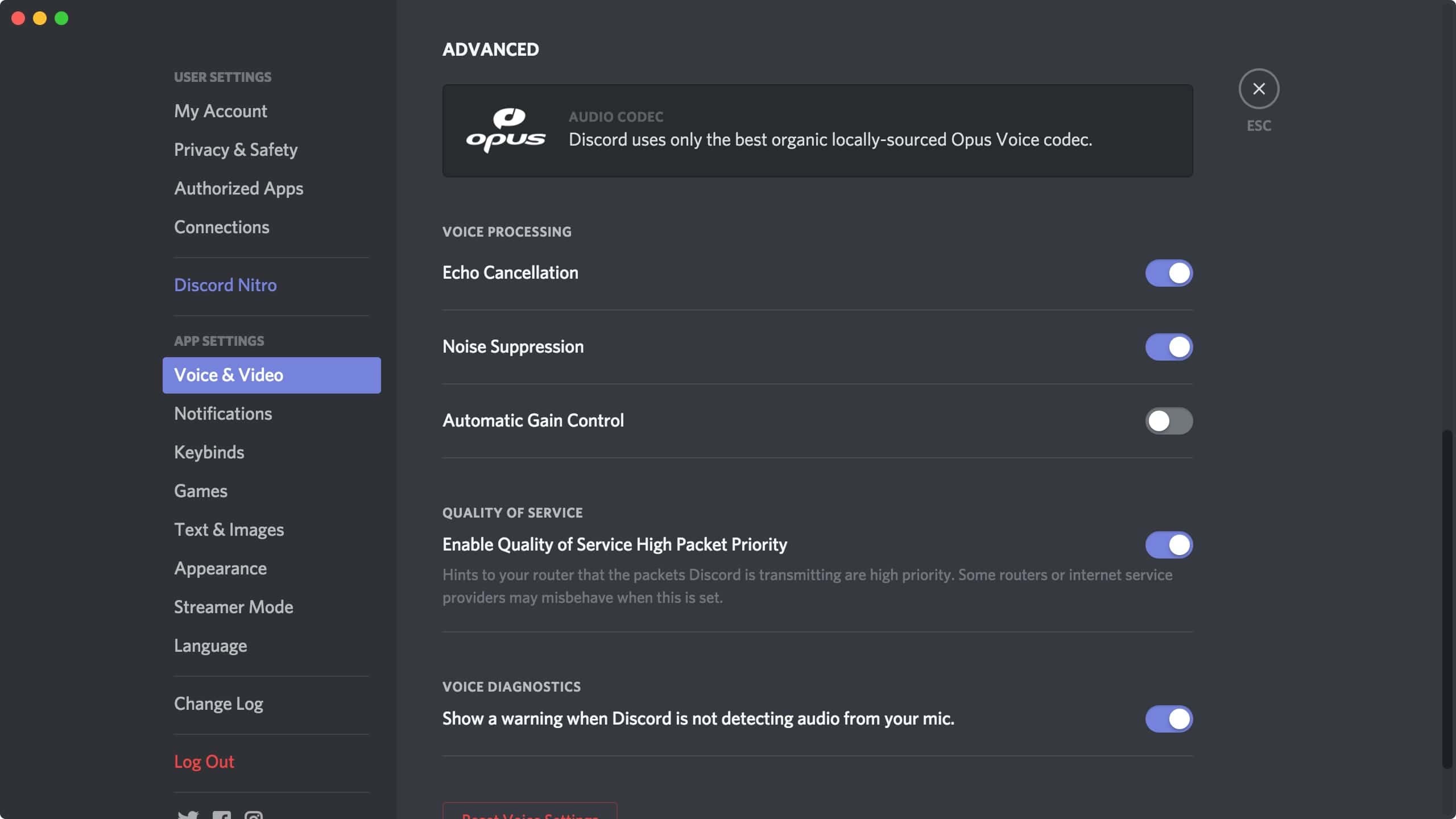
How to Enable or Disable Developer Mode on Discord (2022) | Beebom
Podcasters: Replace Skype with Discord for Better Audio Quality and Web ...
How to Find Your Discord User ID
How to Find Discord Server ID on Mobile and Desktop – TechCult
How to Build a Discord Community for Crypto Projects in 2026
How to Monetize Your Discord Server
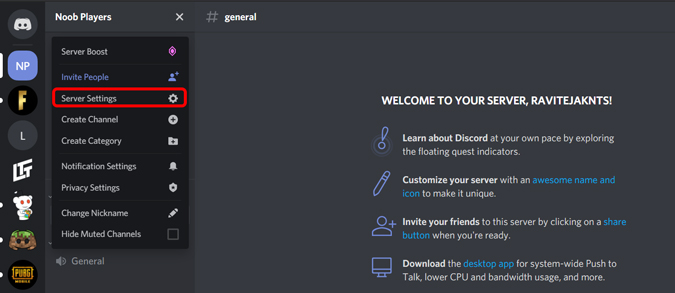
Discord Server Settings – Comment Changer De Compte Discord – VQTZLH
How to Enable Developer Mode on Discord
How To Setup and Optimize Discord on Mac OS — Tech How
how to use Discord advanced settings full guide 2026 - YouTube
How to Enable or Disable Developer Mode on Discord
How to Find Discord Server ID on Mobile and Desktop – TechCult
How to identify your Discord ID on mobile and desktop | Never Open ...
How to Enable or Disable Developer Mode on Discord
Fix: Discord Profile Theme and Other Changes Not Saving
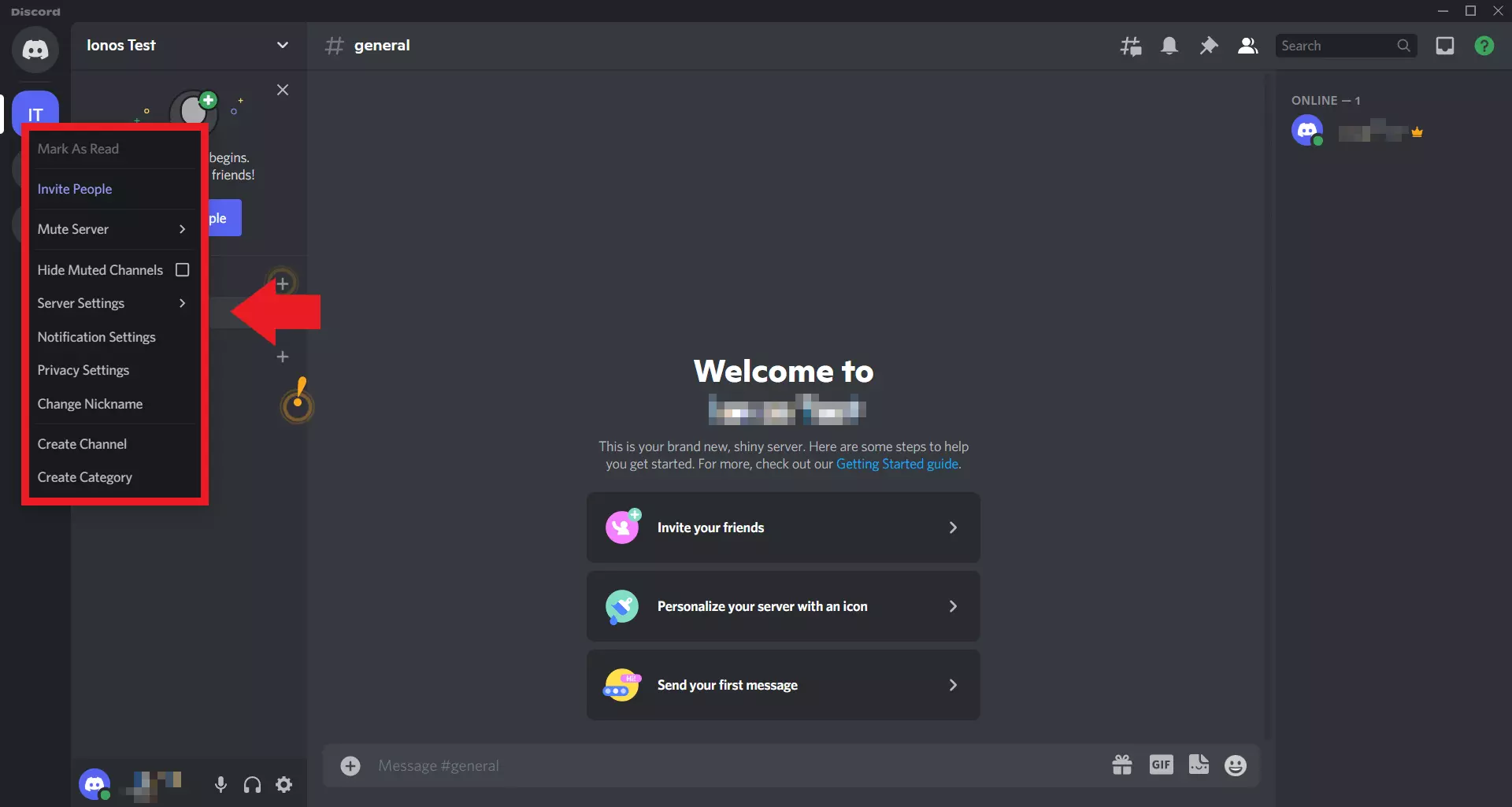
How to set up a Discord server: A step-by-step guide - IONOS
Enhanced Role Styles – Discord
How to Enable Developer Mode in Discord
How to Create and Manage Discord Server - TechWiser
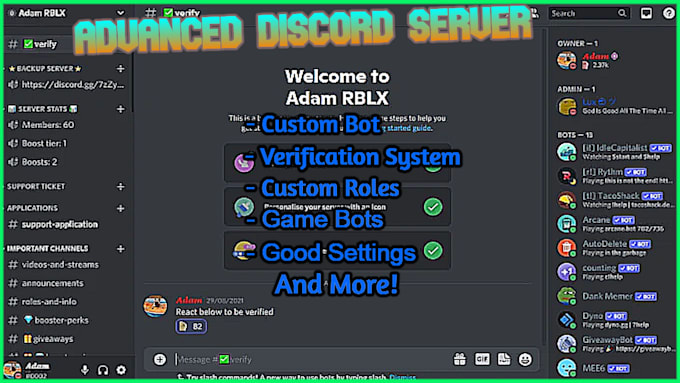
Create an advanced discord server of your choice by Adamrblxyt | Fiverr
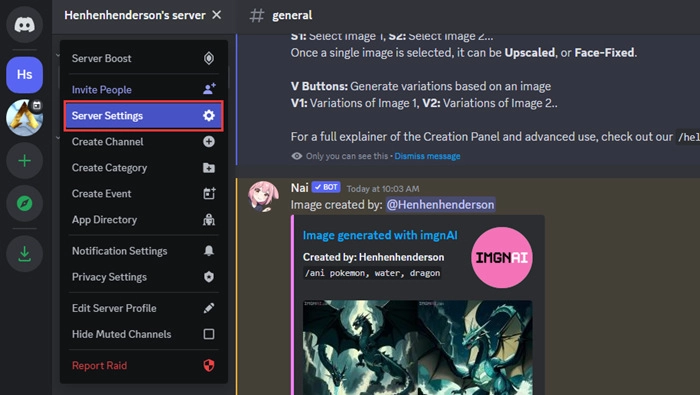
8 Character AI Discord Apps and Servers You Must Know - App Directory
discord advanced settings • made for everyday living
How to find Discord ID - our guide for PC and mobile - PC Guide
Server Member Applications – Discord
How to find your Discord ID
How to Add Bots to Your Discord Server (2024) | Beebom
How To Report A Discord Server - StreamScheme
How to check the Discord account age?
Discord - Jancy
Discord - Jancy

Visual references make it much easier to describe what you want, so the other person sees exactly what you see.

Details Worth Zooming In On

Beyond the first impression, each image contains useful details, paying attention to textures, proportions, colors, and how things are arranged.

A closer look at one good image beats skimming twenty, so choose the closest matches and examine those thoroughly.

Why Visual References Work So Well

Our preference for images is not a trend, it is how understanding works, a real example eliminates the gap between description and reality.

A broad image set answers questions before they are asked, whether you need inspiration, confirmation, or a clearer definition of what you want.

Keep Exploring the Collection

Keep this gallery close for whenever the question resurfaces, since every revisit tends to surface details you missed.

Repeated exposure quietly builds real visual understanding, so treat every revisit as a chance to see something you skipped.