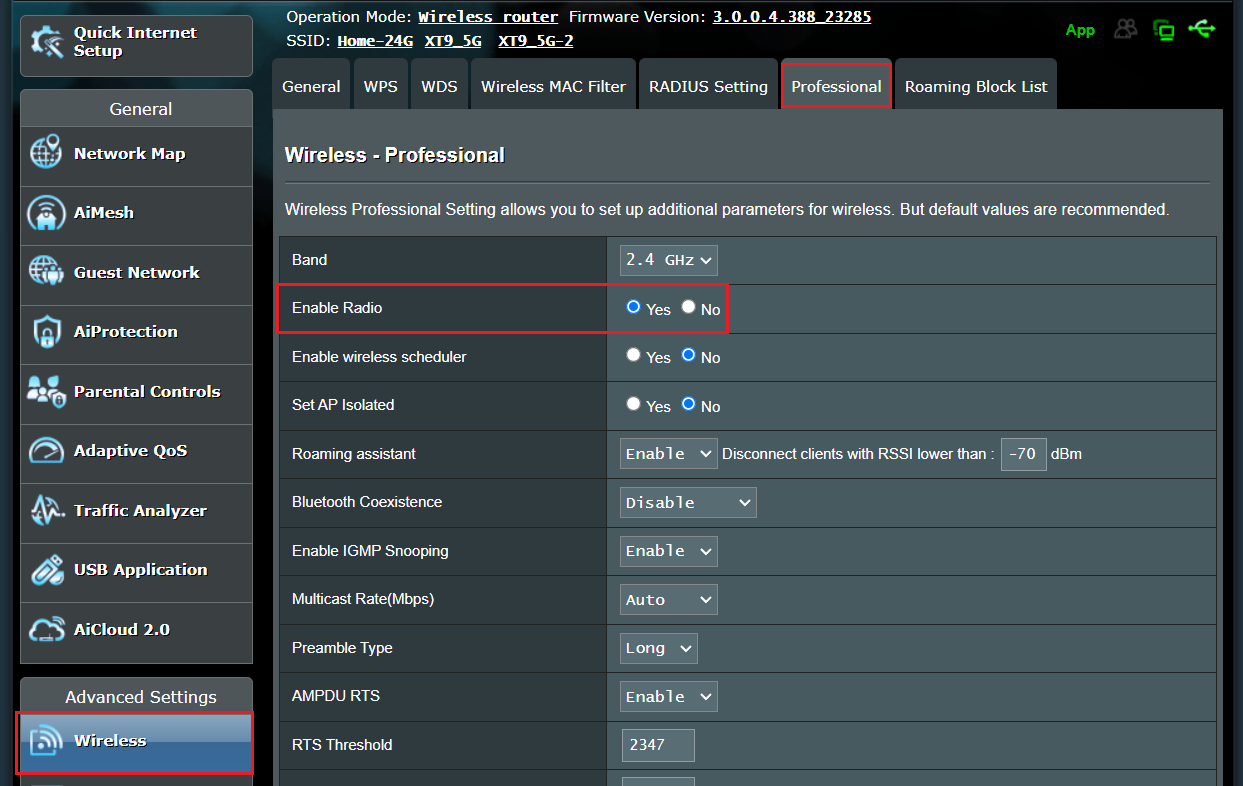
Looking for Asus Wireless Mode Selection? Here It Is
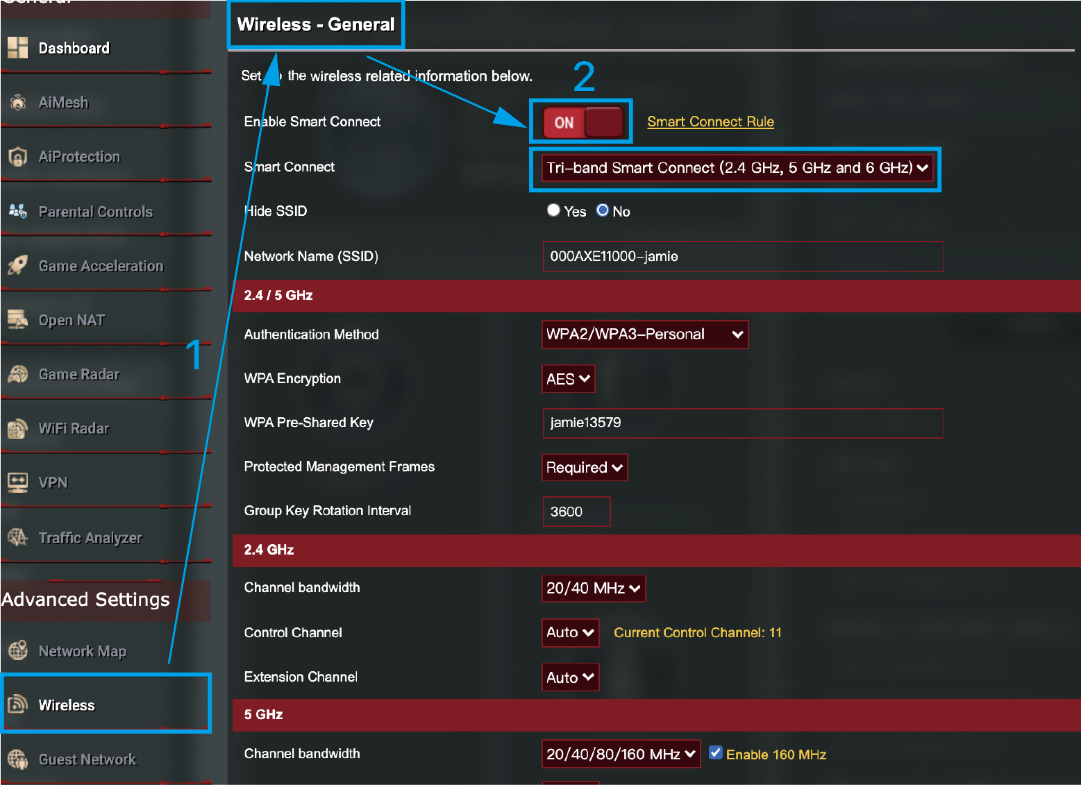
![[Wireless Router] Which Wireless backhaul should I use on ASUS Router ...](https://kmpic.asus.com/images/2022/05/19/eba733ba-295f-4719-b9c1-645d6229cdab.png)
Since you are searching for Asus Wireless Mode Selection, this page was made for you, supported by a wide range of real example pictures for reference.
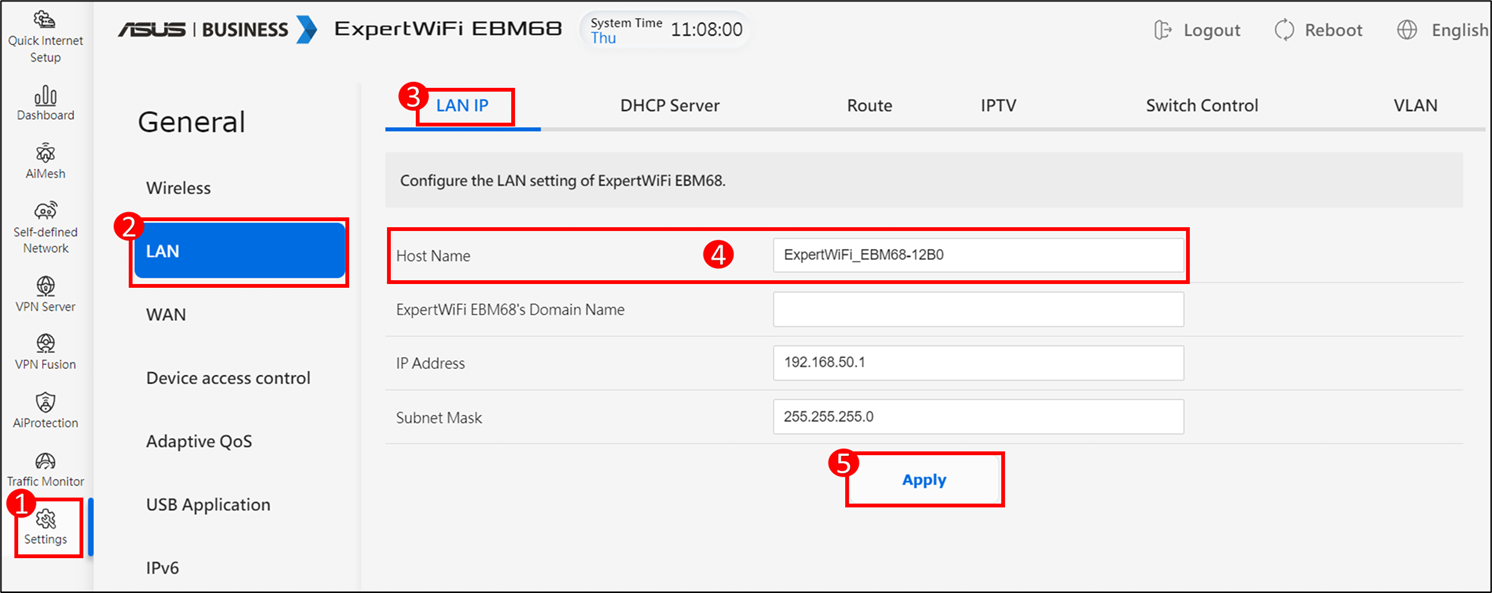
![[Wireless Router] How to enter the Access Point(AP) mode settings page ...](https://km-ap.asus.com/uploads/PhotoLibrarys/66aa29cd-c141-45f0-9576-77de29c4f347/20231019205046926_4.png)
Reading about something is one thing; seeing it is another, and that is exactly why visual references work so well here.
A Visual Collection of Asus Wireless Mode Selection
Every example image highlights a slightly different version of Asus Wireless Mode Selection, and you will quickly see how much variety exists.
There is no need to rush past the pictures, since patterns start to appear after just a few examples.
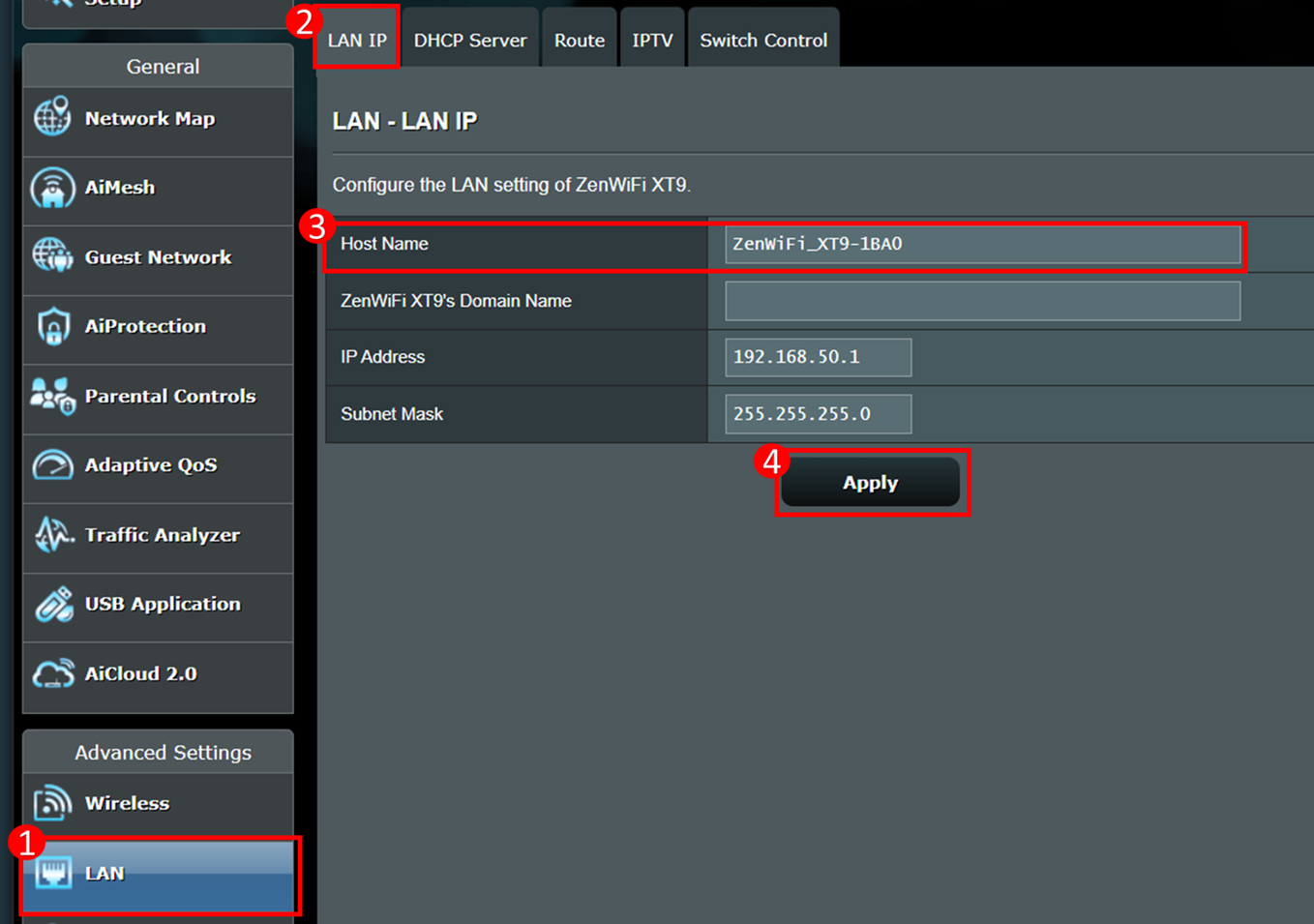
![[Wireless Router] How to enter the Access Point(AP) mode settings page ...](https://km-ap.asus.com/uploads/PhotoLibrarys/66aa29cd-c141-45f0-9576-77de29c4f347/20231019205046934_3.png)
What These Pictures Explain
Each image works as a small explanation of its own, making it much easier to judge what fits your needs.
Look at how the same subject changes from image to image, and these shared traits are your best guide.

Different Variations, Different Styles
No two examples in the gallery look exactly the same, a few lean traditional while others feel modern, which helps you quickly narrow down what you actually want.
Notice which image makes you stop scrolling, because that instinct usually points toward what you are really looking for.
How to Use These Examples for Reference
Treat the gallery as a practical tool rather than decoration, comparing your reaction across several examples.
![[Wireless Router] Which Wireless backhaul should I use on ASUS Router ...](https://kmpic.asus.com/images/2022/05/18/f7b4647c-a1da-4001-98cc-d79080b9d7fe.png)
![[Wireless Router] Which Wireless backhaul should I use on ASUS Router ...](https://kmpic.asus.com/images/2022/05/18/f4016cb5-cfdf-449c-a84c-e8d38189a692.png)
![[Troubleshooting] WiFi signal is often disconnecte... - ASUS - ZenTalk ...](https://kmpic.asus.com/images/2023/01/06/75c3c9aa-8f54-4199-966c-eea95f1e1f8e.png)
![[Wireless Router] How to setup ZenWiFi AiMesh system (Web GUI ...](https://km-ap.asus.com/uploads/PhotoLibrarys/66aa29cd-c141-45f0-9576-77de29c4f347/20231225095524493_3.png)
![[Wireless Router] How to set up repeater mode? - ASUS - ZenTalk - 408684](https://kmpic.asus.com/images/2020/04/08/d9ddbcd9-643b-4a07-b571-a891430591e7.jpg)
![[Wireless Router] How to configure the Smart Connect in ASUS Router ...](https://km-ap.asus.com/uploads/PhotoLibrarys/66aa29cd-c141-45f0-9576-77de29c4f347/20230410150128795_1.png)
![[Wi-Fi 7 Wireless Router] What is MLO (multi-link ... - Republic of ...](https://km-ap.asus.com/uploads/PhotoLibrarys/66aa29cd-c141-45f0-9576-77de29c4f347/20240503154522651_1.png)


![[Wireless Router] How to do Professional Wireless settings | Official ...](https://km-ap.asus.com/uploads/PhotoLibrarys/66aa29cd-c141-45f0-9576-77de29c4f347/20250912143008150_6G_en.png)
![[Wireless Router] What is Home/Travel mode? How to configure ...](https://km-ap.asus.com/uploads/PhotoLibrarys/66aa29cd-c141-45f0-9576-77de29c4f347/20241028175751402_1.png)

![[Wireless Router] How to configure the Smart Conne... - ASUS - ZenTalk ...](https://km-ap.asus.com/uploads/PhotoLibrarys/66aa29cd-c141-45f0-9576-77de29c4f347/20241108165219555_6.png)
![[Wireless Router] How to improve wireless speed by... - ASUS - ZenTalk ...](https://km-ap.asus.com/uploads/PhotoLibrarys/66aa29cd-c141-45f0-9576-77de29c4f347/20241004154920056_2.png)

![[Wireless Router] How to switch the ASUS router WiFi signal at a ...](https://kmpic.asus.com/images/2022/06/20/d5e46322-ea4e-484e-aa9c-6d24c6350d3c.png)
![[Wireless Router]How to ensure WiFi 7 router compa... - ASUS - ZenTalk ...](https://km-ap.asus.com/uploads/PhotoLibrarys/fb428b00-0803-4d9a-bf0a-5e79db33cf39/20240517111311453_1053365_EN_01.png)
![[Wireless Router] What is WISP (Public WiFi mode) and how to setup ...](https://km-ap.asus.com/uploads/PhotoLibrarys/33302509-e540-466e-810f-9b1728734c0c/20231123165358328_WL_Go_WISP_en9.png)
![[Wireless Router] How to do Professional Wireless settings | Official ...](https://kmpic.asus.com/images/2022/08/01/c73aee49-2247-442d-b211-22a6f7488737.png)

![[Wireless Router] How to set up ASUS Router with O... - Republic of ...](https://kmpic.asus.com/images/2020/12/10/95d84fe9-b80b-447d-8db1-2b219ac3d3e2.jpg)
![[Wireless Router] How to Enable/Disable/Hide my AS... - ASUS - ZenTalk ...](https://km-ap.asus.com/uploads/PhotoLibrarys/66aa29cd-c141-45f0-9576-77de29c4f347/20231215160403917_1.png)

Pictures remove the guesswork from conversations, because pointing to a real example replaces a long and error-prone description.
The Small Details That Matter
Beyond the first impression, each image contains useful details, such as positioning, scale, material feel, and overall balance.
The images you linger on will shape your understanding most, so choose the closest matches and examine those thoroughly.
Why Visual References Work So Well
Our preference for images is not a trend, it is how understanding works, a real example eliminates the gap between description and reality.
That is why a varied collection like this is so effective, whether you need inspiration, confirmation, or a clearer definition of what you want.
Browse More Images Whenever You Need
You can return to this page of Asus Wireless Mode Selection images anytime, as your preferences may shift the second time you look.
Every return visit trains your judgment a little further, and let the gallery keep doing what it does best.